
Approvals
Does anything go out without me?
- Told what needs you
- Read, then decide
- All three at once
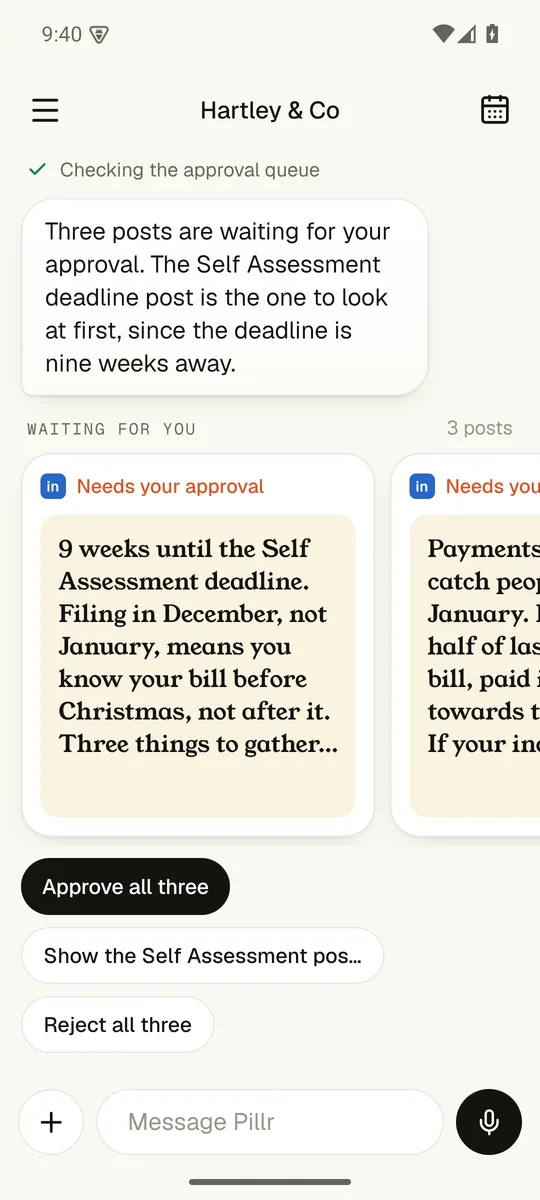
Checking the approval queue
No. Every post waits for your approval. I show you what is waiting, you read it, and you approve it or send it back.
Everything in the appWalk me through it.
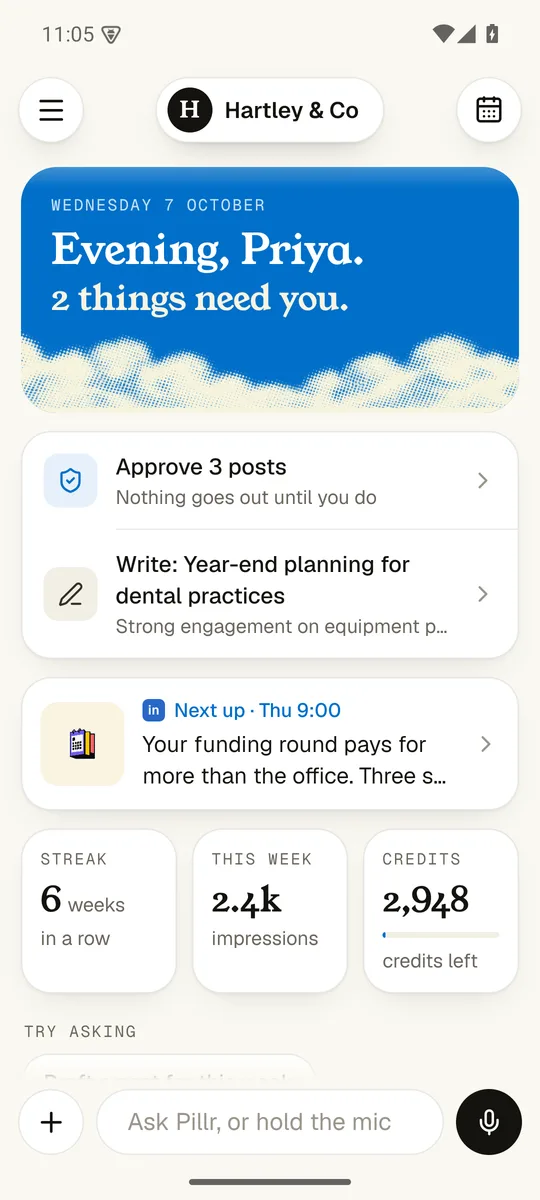
1. Told what needs you
The home screen opens with what is waiting, most urgent first.
3. All three at once
Happy with the set? Approve them together.
2. Read, then decide
Open any post to read it in full. Approve it or send it back.
What else can it do?
Does anything go out without me?
Nothing goes out until you tap.
The app drafts, checks and lines things up. Only you can press the button that posts.
Screens show Hartley & Co, a made-up demo firm.