
Ask for a post
How do I get a post written?
- Say it plainly
- Checked before you see it
- One tap to schedule
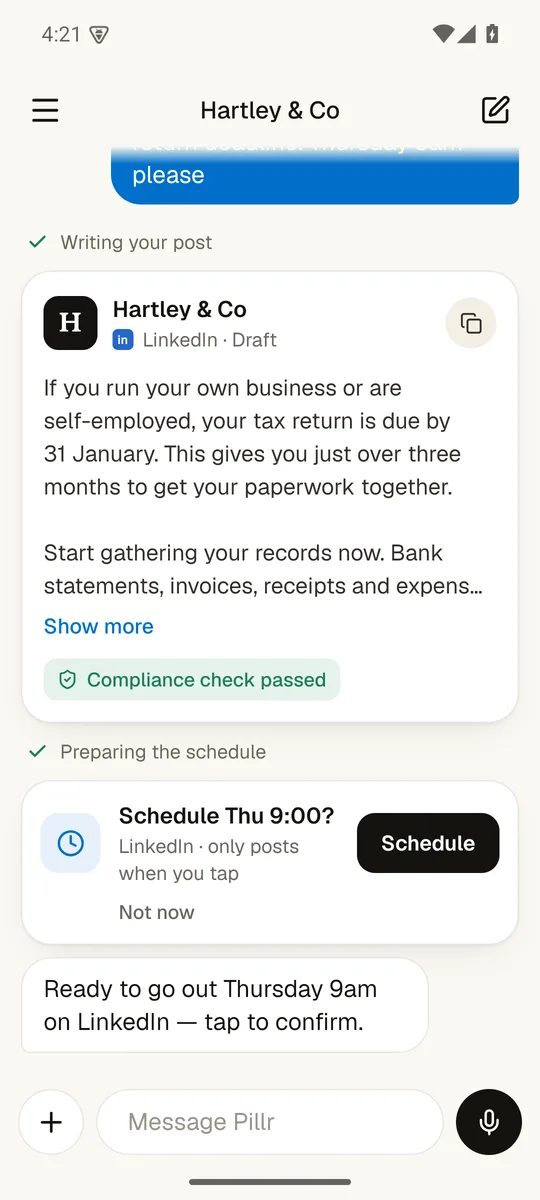
Writing your post
Text me what you want and when. I draft it in your firm's voice, check it, and put a schedule card in front of you. Nothing goes out until you tap.
Everything in the appWalk me through it.
1. Say it plainly
"A post on the 31 January deadline, Thursday 9am please" is all it needs.
3. One tap to schedule
A card asks "Schedule Thu 9:00?". It only posts when you tap.
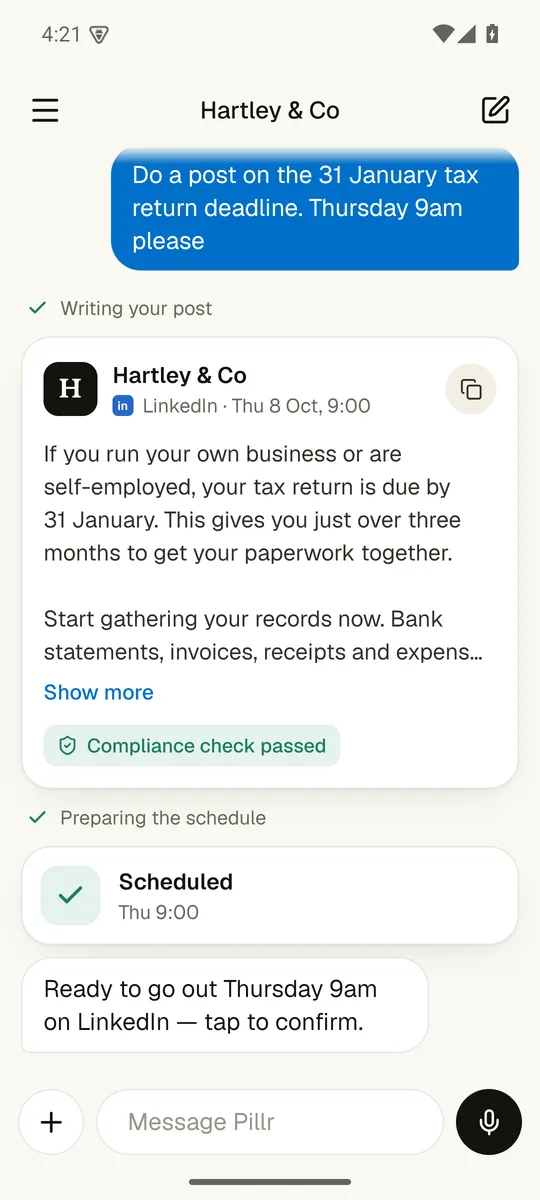
2. Checked before you see it
The draft arrives on a card with its compliance check already passed.
What else can it do?
Does anything go out without me?
Nothing goes out until you tap.
The app drafts, checks and lines things up. Only you can press the button that posts.
Screens show Hartley & Co, a made-up demo firm.