
Ask for a post
How do I get a post written?
- Say it plainly
- Checked before you see it
- One tap to schedule
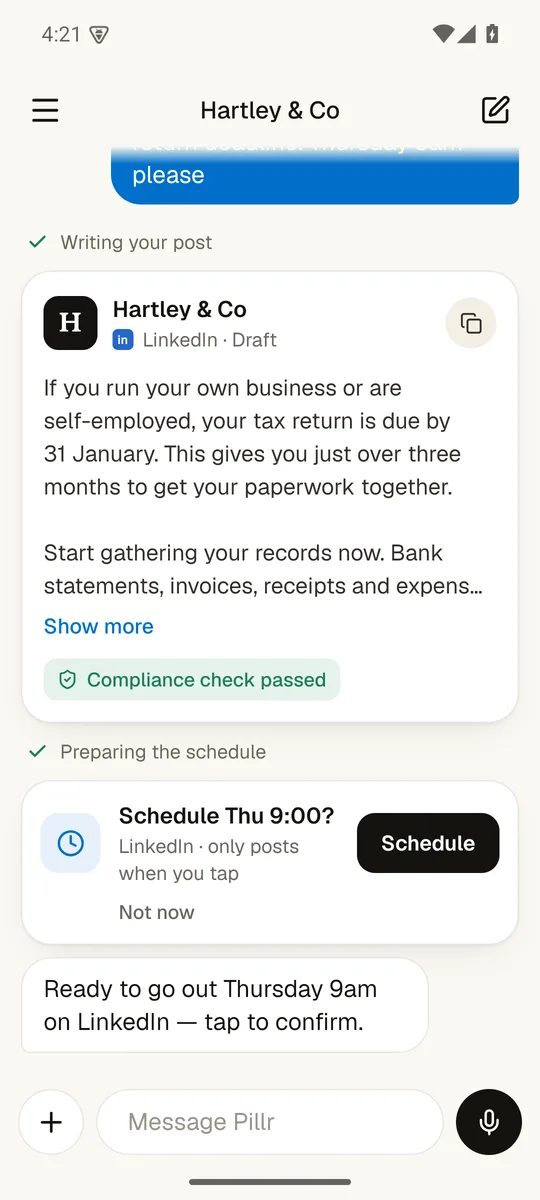
Writing your post
Text me what you want and when. I draft it in your firm's voice, check it, and put a schedule card in front of you. Nothing goes out until you tap.
"A post on the 31 January deadline, Thursday 9am please" is all it needs.
See it up closeNew business
Can it help me find new business?
- New companies near you
- A way to reach them
- You send, not Pillr
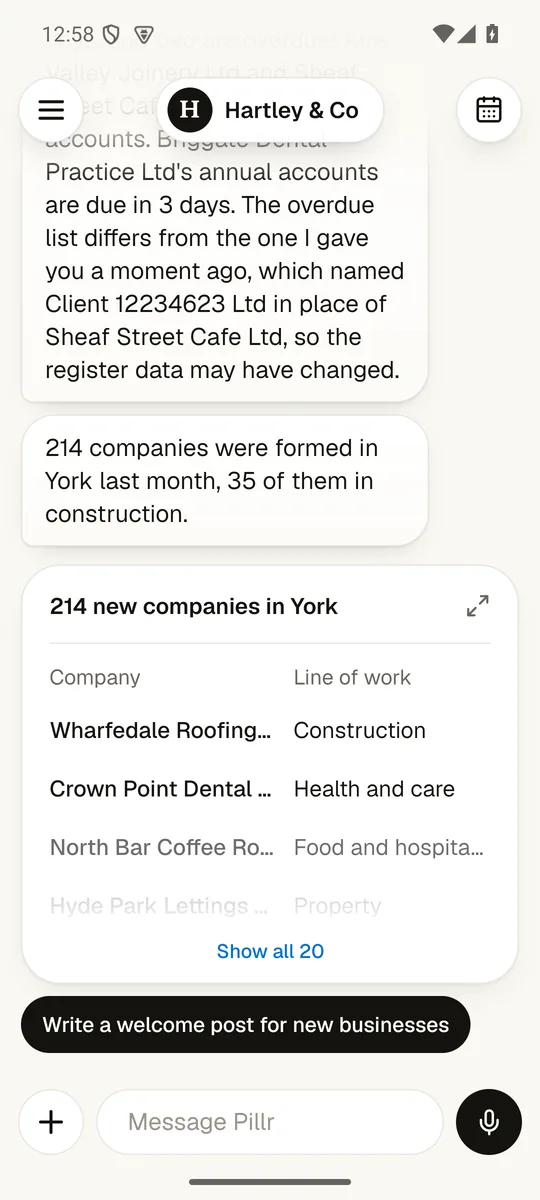
Checking Companies House
Ask me who has set up near you. I list the new companies, find a contact for the ones that matter to you, and draft the introduction. You decide who hears from you.
Name an area and Pillr lists the companies formed there last month, with each one's line of work.
See it up closeVoice notes
I think faster than I type. Can I just talk?
- Hold to talk
- Slide to cancel
- A draft, not a recording
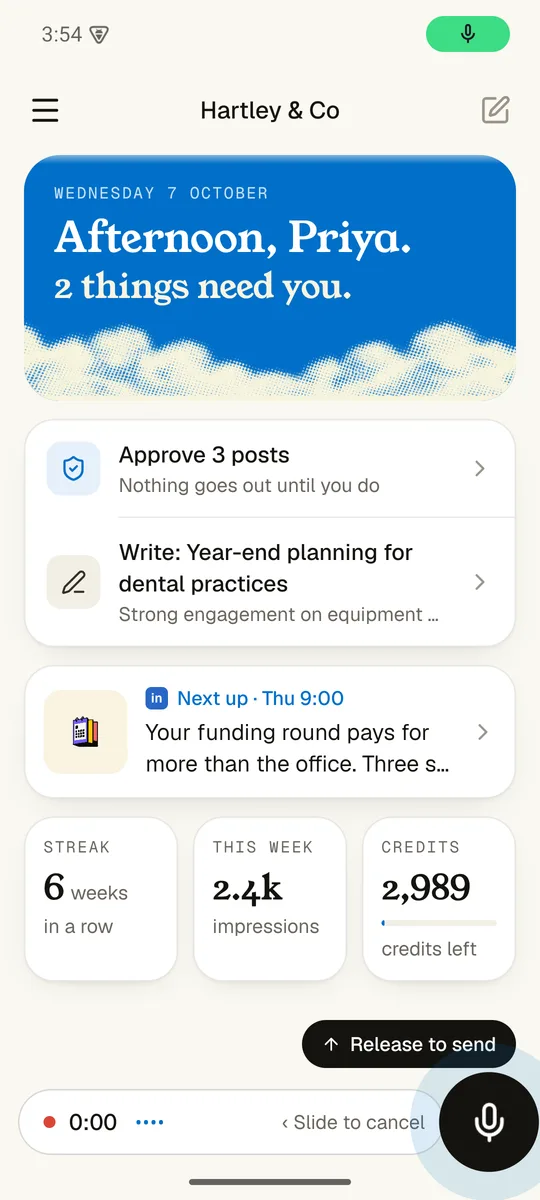
Listening
Yes. Hold the mic, say what happened this week, and let go. I transcribe it and hand you a draft to approve.
The mic sits beside the message box. Hold it, speak, release to send.
See it up closePhotos and links
I just read something on gov.uk. Can I turn it into a post?
- Share from any app
- Your photo, your post
- Lands as a draft
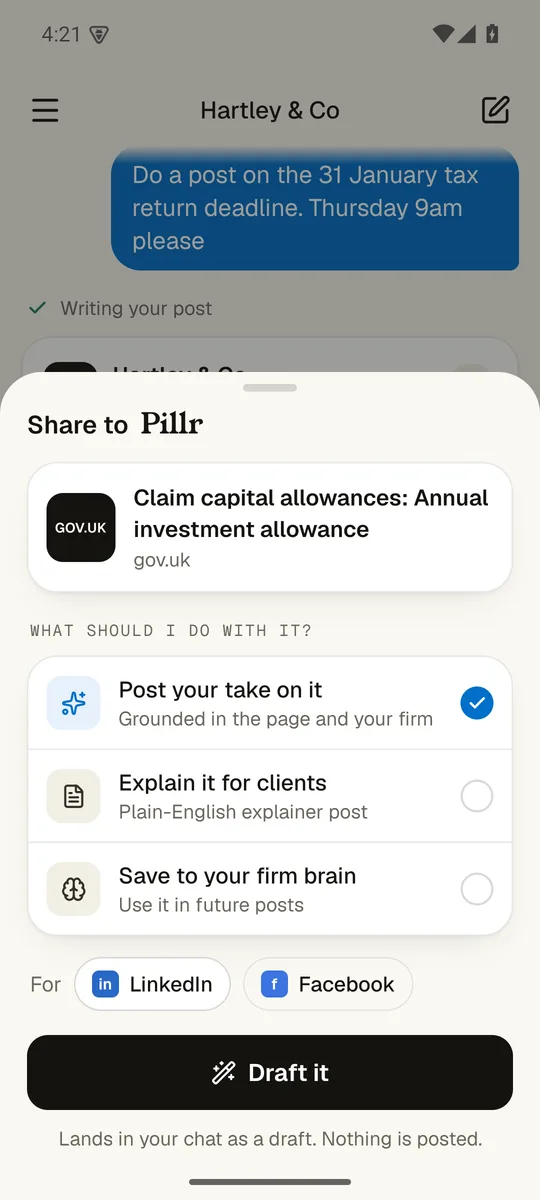
Reading the page
Share it to me from your browser. I read the page, draft your firm's take on it, and leave it in your chat. A photo works the same way.
Pillr sits in your phone's share sheet. Pick post your take, explain it for clients, or save it for later.
See it up closePlan the month
Can you plan my whole month?
- Pick the size
- Every post, every date
- One button
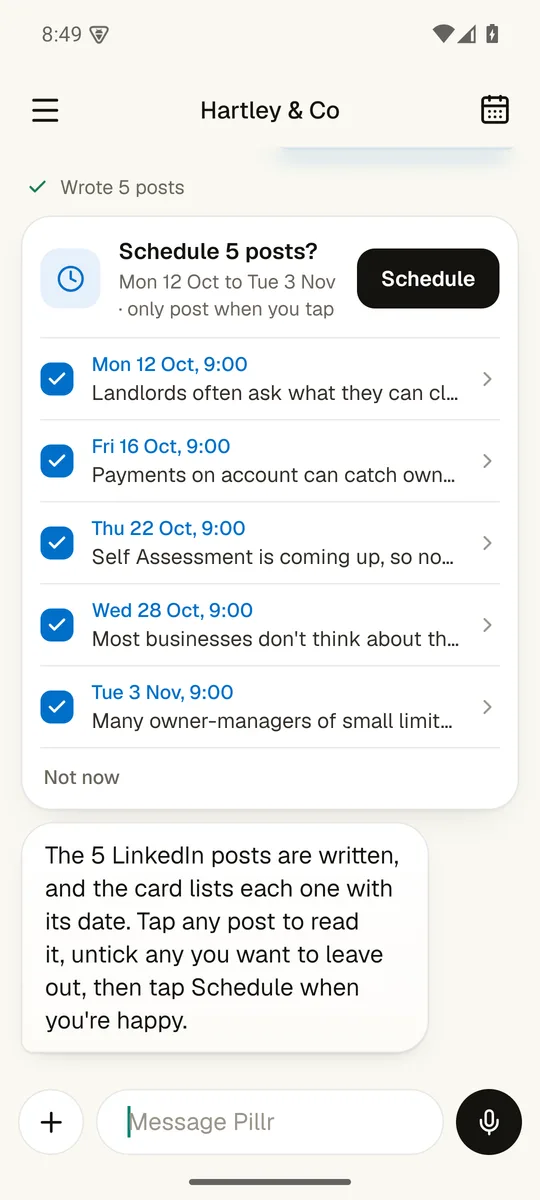
Checking what your plan has left
Tell me how many posts and which platforms. I write them, list each one with its date, and you schedule them all with one tap.
Five, ten, twenty or thirty posts, on LinkedIn, Instagram or Facebook.
See it up closeCalendar
What's going out, and can I move it?
- List or month
- Drag to move
- Key dates built in
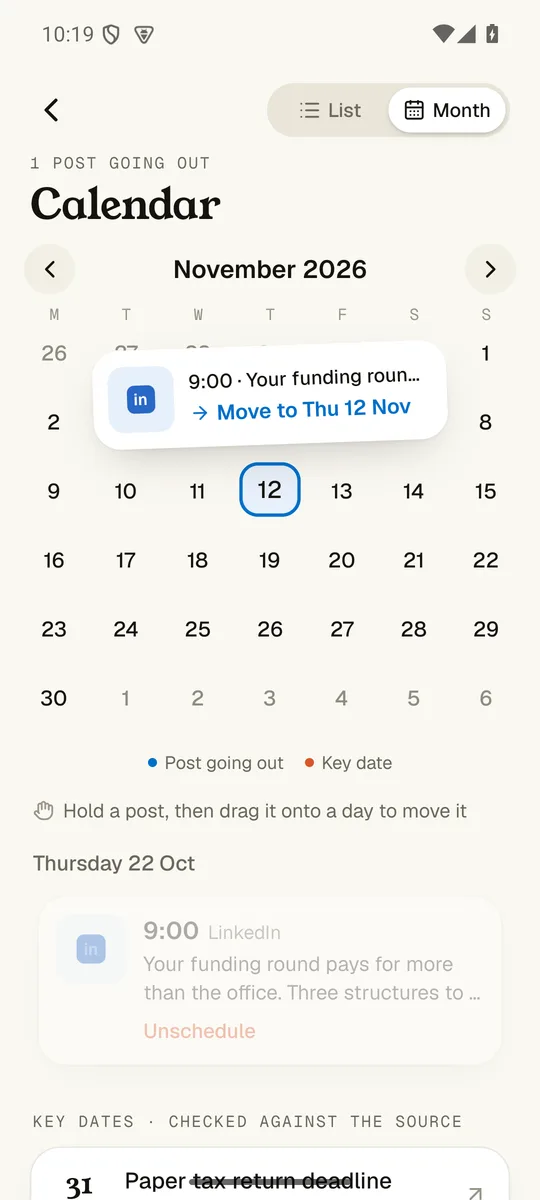
Opening the calendar
Open the calendar, hold a post and drag it to a new day. The key dates for your clients are on there too.
Flip between the week ahead and the whole month.
See it up closeApprovals
Does anything go out without me?
- Told what needs you
- Read, then decide
- All three at once
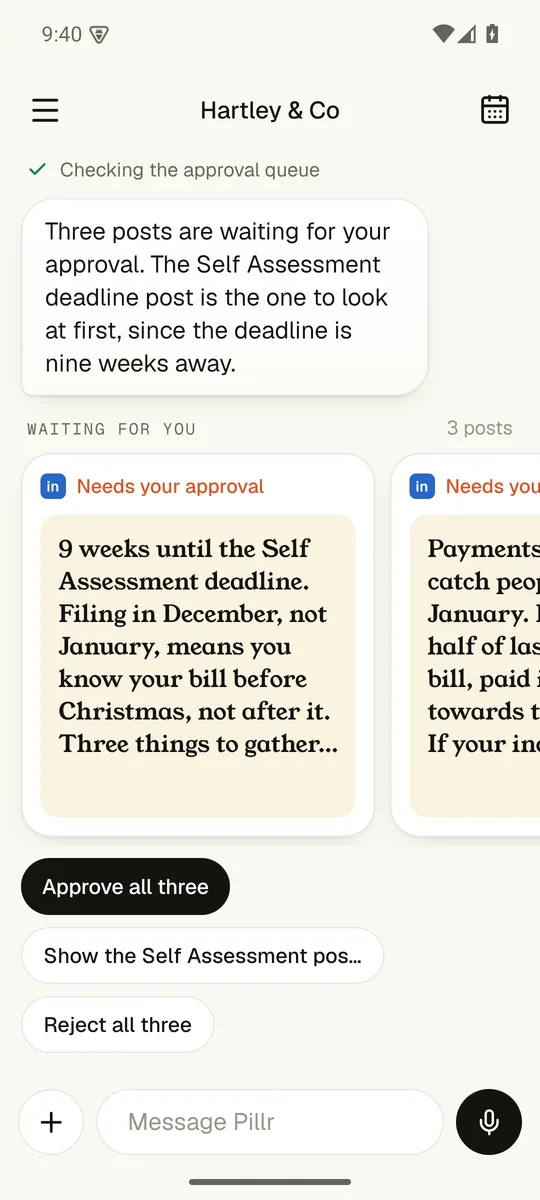
Checking the approval queue
No. Every post waits for your approval. I show you what is waiting, you read it, and you approve it or send it back.
The home screen opens with what is waiting, most urgent first.
See it up closeYour numbers
What did well last month?
- Ask in plain English
- Post by post
- Your best day
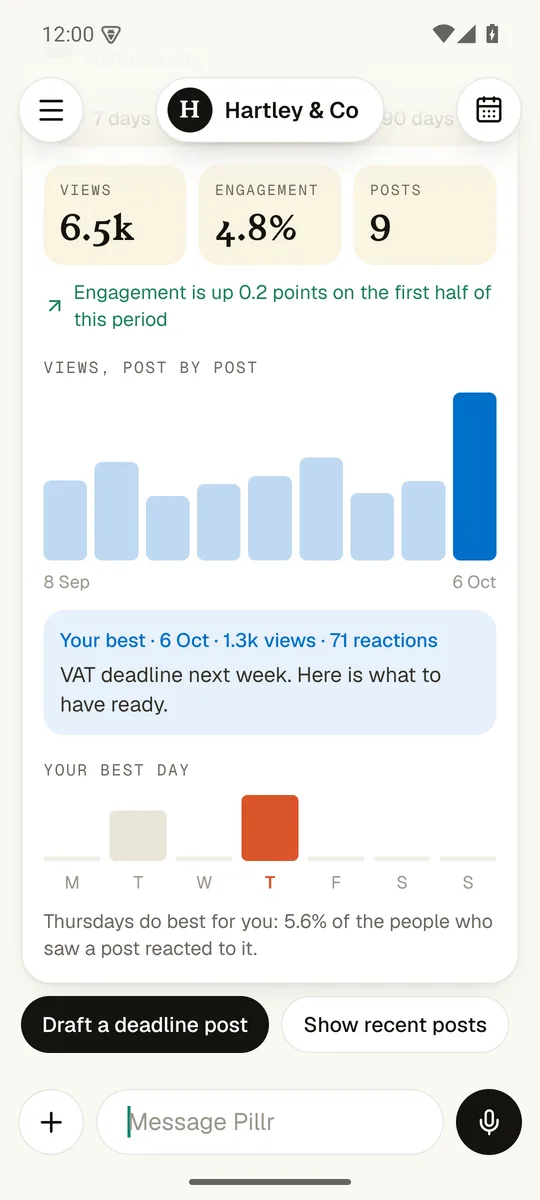
Reading LinkedIn analytics
I pull your views and engagement, show you the post that did best, and tell you which day your readers respond to most.
"What did well last month?" gets a straight answer and a card.
See it up closeClient deadlines
Which of my clients have a deadline coming?
- Your client list
- Due and overdue
- Reminders drafted
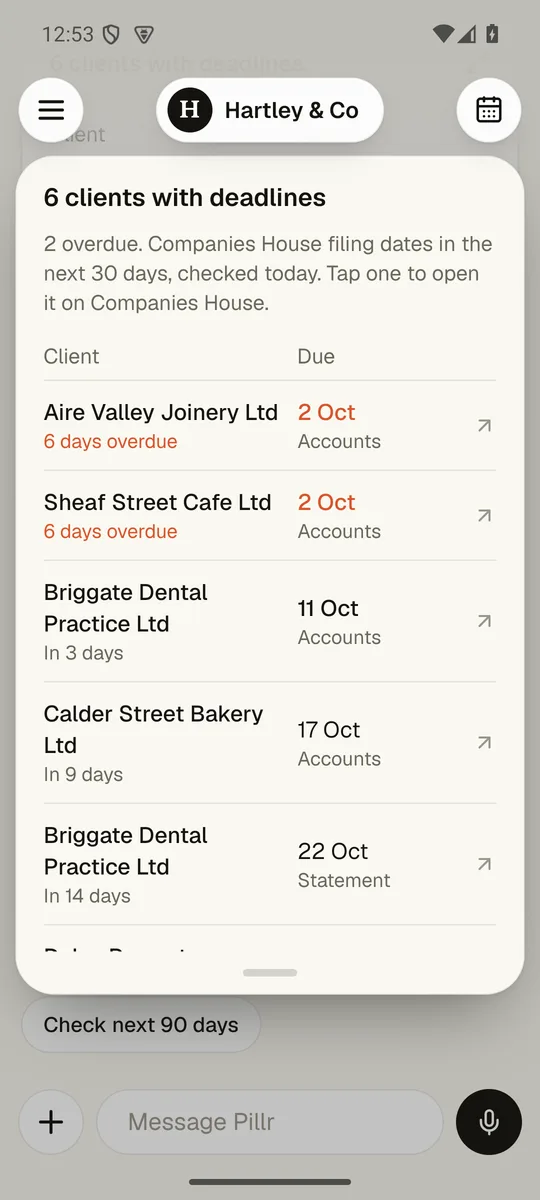
Checking Companies House
I check the filing dates for the companies on your client list and show you what is due in the next 30 days, overdue first.
Search by company name or number and add them in a tap.
See it up closeReplies
Someone commented on my post. Now what?
- Comments come to you
- Three ways to answer
- Or your own words
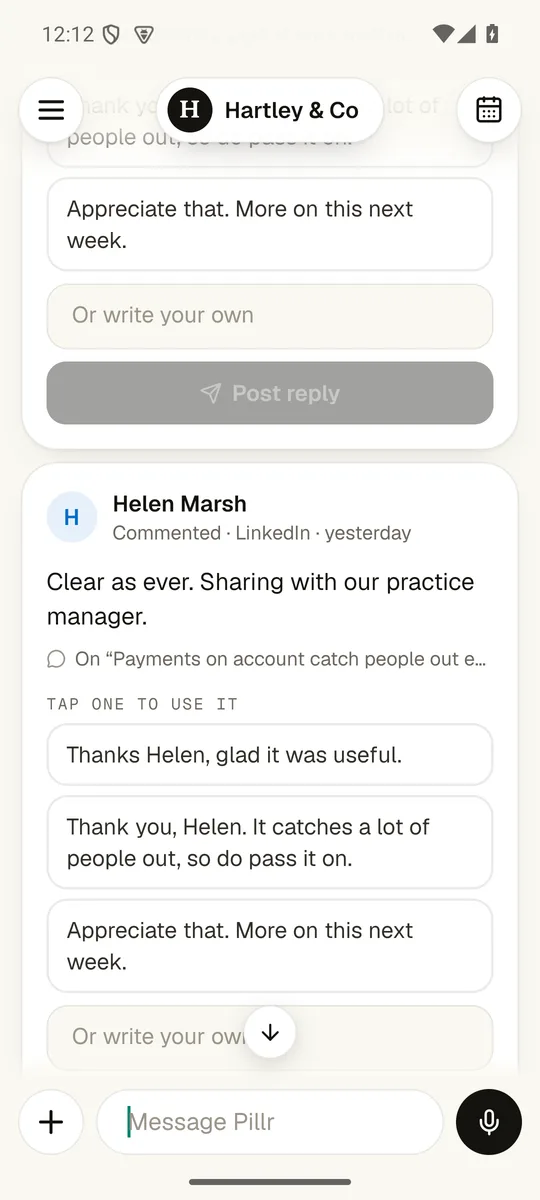
Reading the comment
I show you the comment with three replies in your voice. Tap the one you like, or write your own. You press post.
Each comment arrives as a card with who said it and on which post.
See it up closeWidgets
Do I have to open the app to check?
- Next up
- To approve
- Snap a post
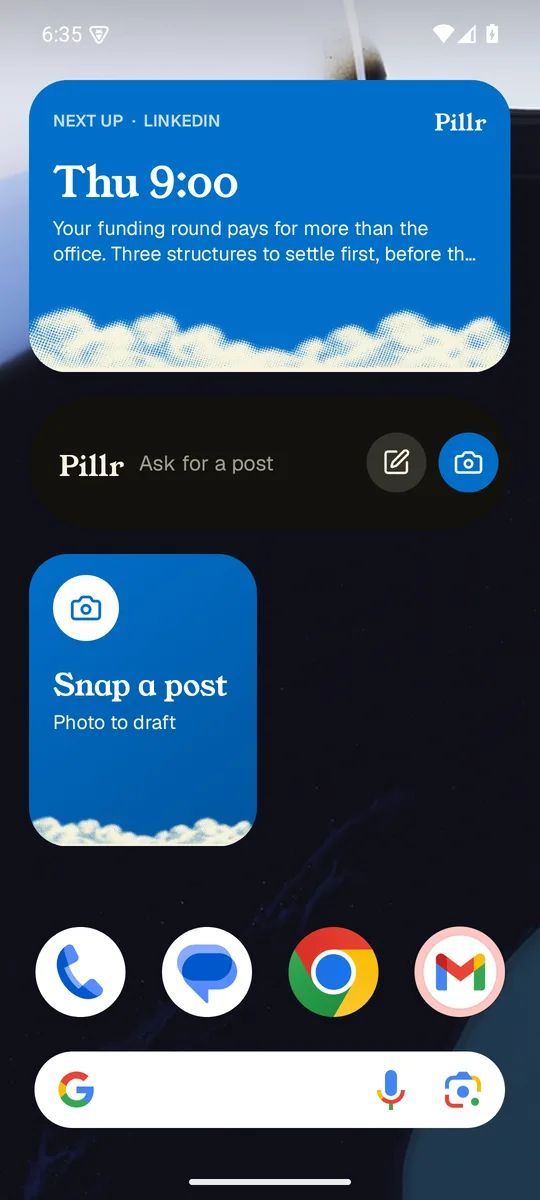
Looking at your home screen
No. Add a widget and your next post, your approval count and a camera shortcut sit on your home screen.
Your next scheduled post and when it goes.
See it up closeDoes anything go out without me?
Nothing goes out until you tap.
The app drafts, checks and lines things up. Only you can press the button that posts.
Screens show Hartley & Co, a made-up demo firm.